A podcast app you run, not rent.
Poddeck does the clever things paid apps charge for: transcripts, smart speed, chapters, and a queue that keeps every show in order. It does them all on your iPhone. There's no subscription, no account and no adverts, and nothing about you goes to a server.
The bill is empty. On purpose.
Most podcast apps pay for themselves with a subscription, adverts or your listening data, because they run servers. Poddeck doesn't run any. Your iPhone does the work, Apple's free services carry the rest, and nothing is metered, so there's nothing to charge for.
No trial that runs out. No "Plus" tier with the good features locked away. Every feature on this page is in the app you install.
PODDECK
Everything explained. Everything switchable.
No black boxes. Here's what each feature does, how it does it, and which settings you hold.
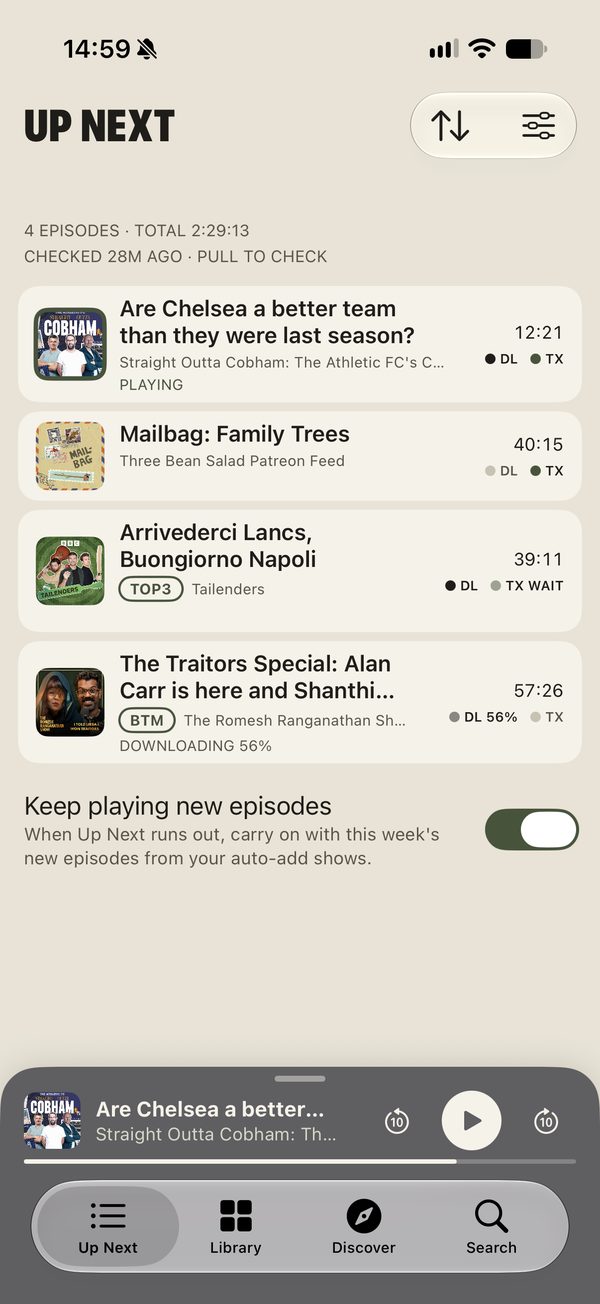
A queue that keeps every show in order
You decide where each show's new episodes go. Poddeck promises one thing: a show's episodes are always played oldest first, wherever they land.
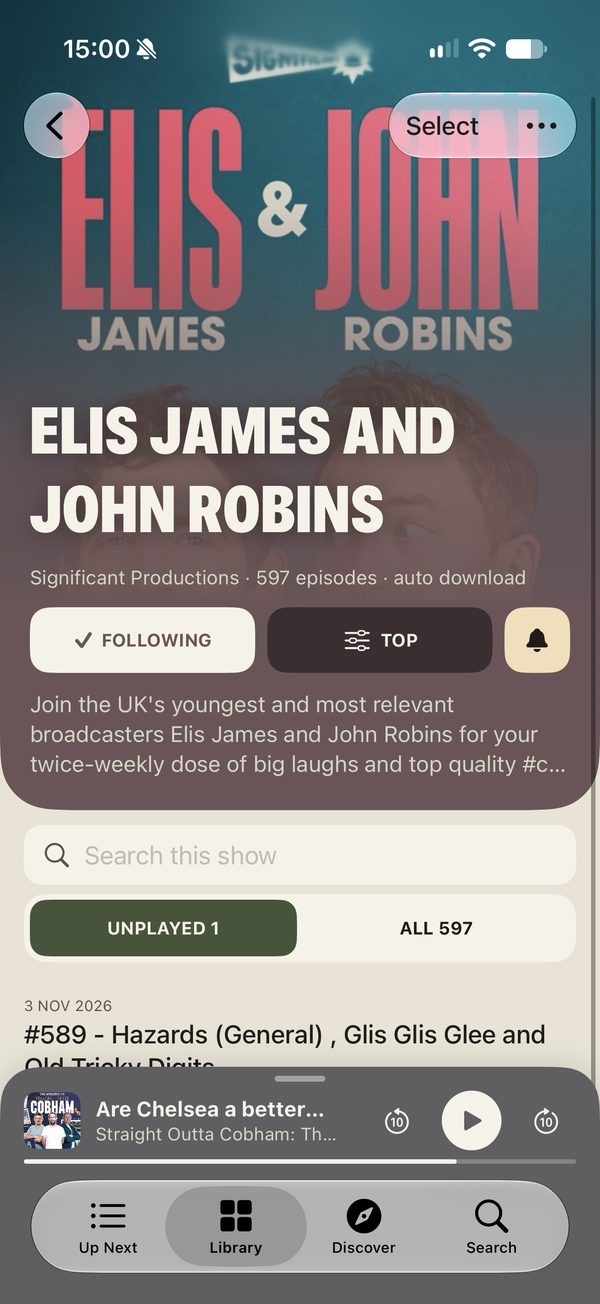
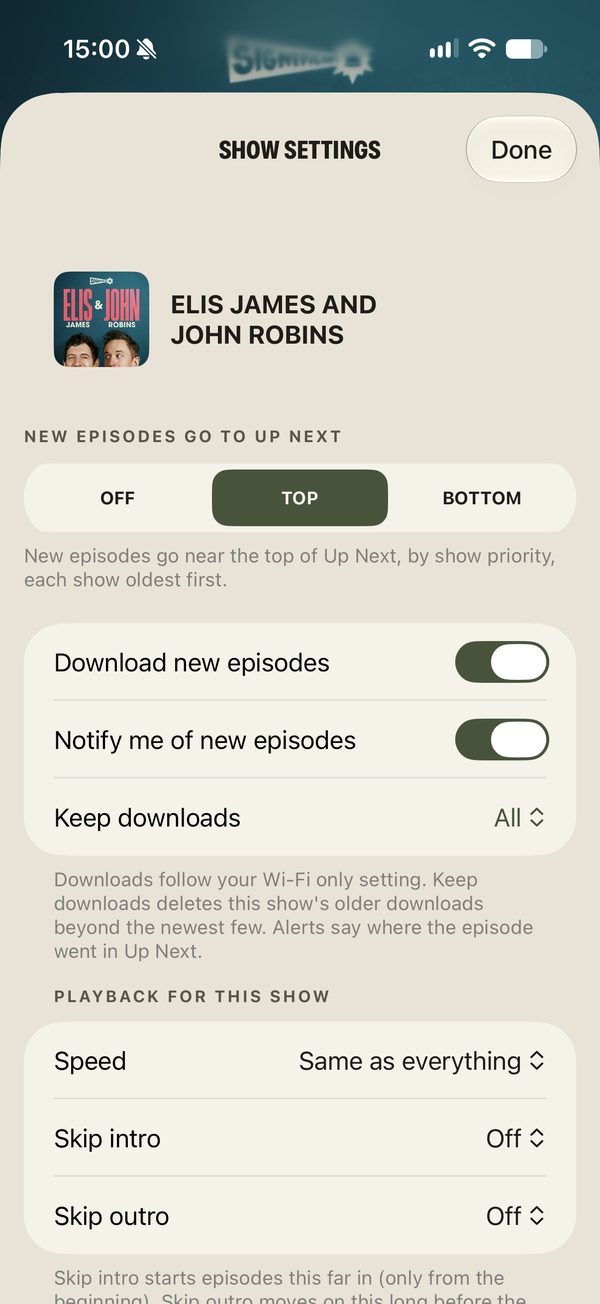
- Set each show to Top, Bottom or Off. Newly followed shows start on Bottom.
- Rank your Top shows. A new episode from a Top show goes right after that show's last queued episode, or, if it has none queued, above every lower-ranked show. Your favourite stays first.
- Bottom shows go to the end. Off shows wait quietly on their own page.
- Play next, Play last and drag to reorder still work. "Keep each show in order" stops you breaking a show's order by accident (you can turn it off).
Up Next
Read along, search, jump in
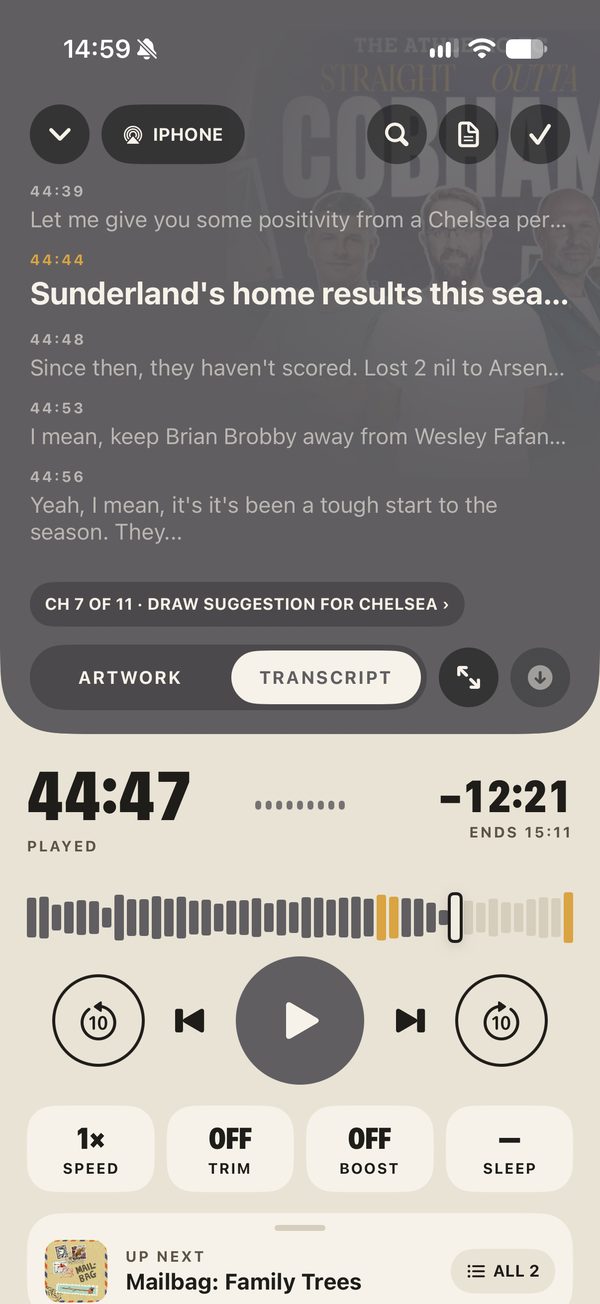
Every episode can have a transcript that follows playback. Tap any line to jump there, find words inside an episode, or search everything you've ever transcribed.
- If the show publishes its own transcript, Poddeck uses it, with speaker names.
- If not, your iPhone writes one using Apple's built-in speech recognition, from the downloaded audio. The audio never leaves the phone.
- It only transcribes when you ask, unless you choose "While charging" or "As soon as downloaded". You can stop it any time.
- Music is spotted on the phone too and shown as its own row; ad breaks show as a dashed band.
Listening tools that stay out of the way
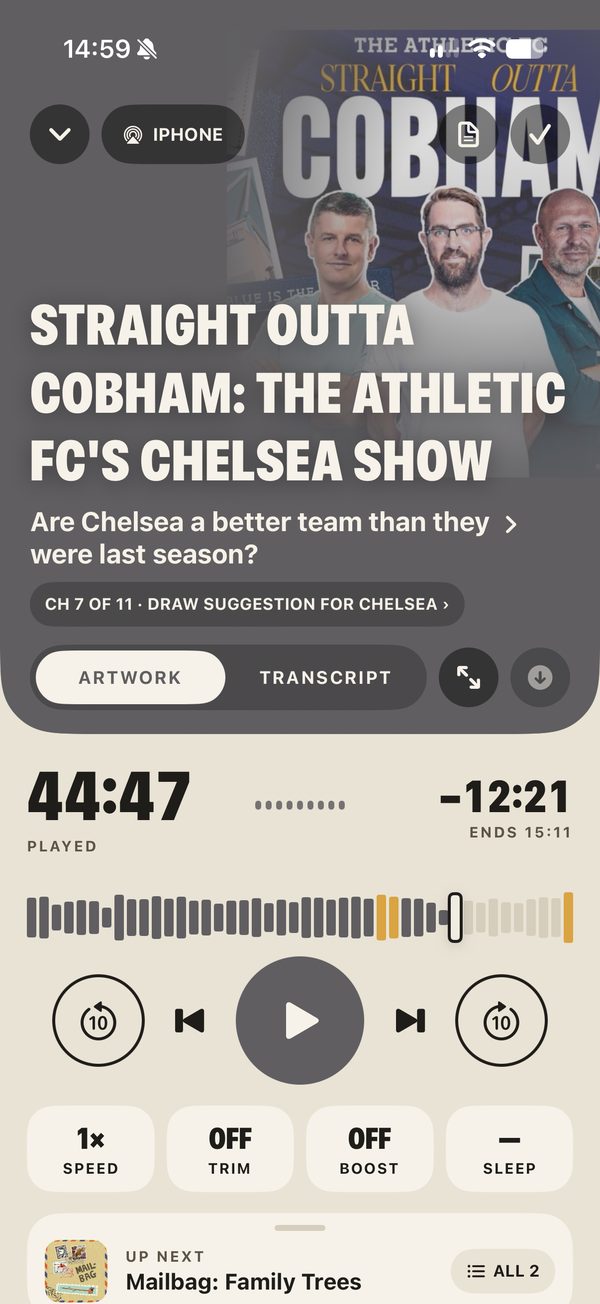
Four keys under the play button, each one plain about what it does.
Speed
One speed for everything, or a speed per show (the key then says SHOW). The ENDS time under the progress bar is worked out at your speed.
Trim silences
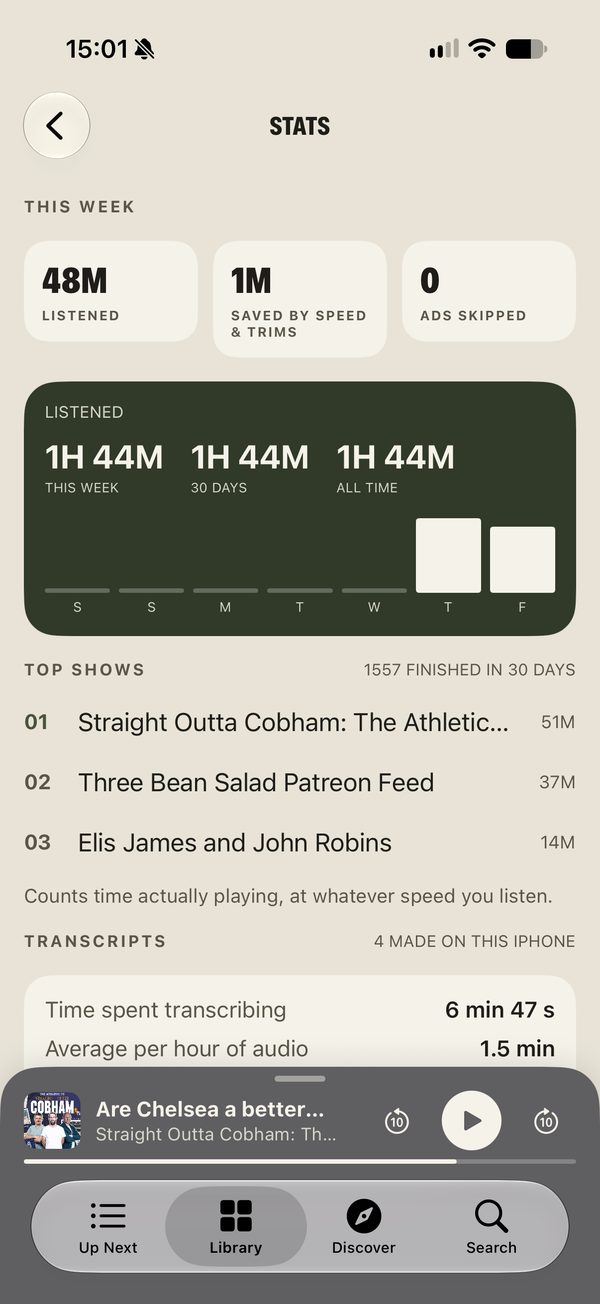
Speeds through pauses longer than about a third of a second. Nothing is cut out; the gaps just go by faster. Stats tell you the time it saved.
Boost voices
Evens out loud and quiet voices so you can hear them in the car or on a train, without riding the volume.
Sleep timer
Fades out over the last 10 seconds. Shake the phone for 5 more minutes. An optional bedtime mode sets it for you after 10pm.
Chapters
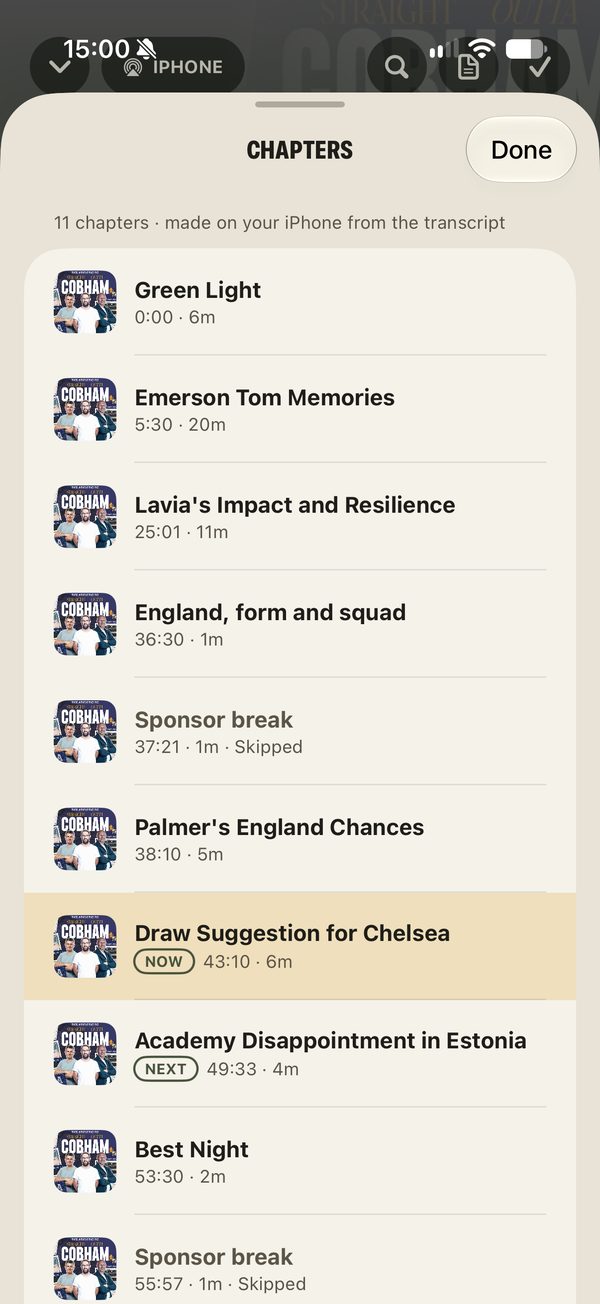
Uses the show's own chapters and artwork. If there are none, your iPhone makes them from the transcript, with titles from Apple's on-device model.
Skip intros & outros
Set seconds to skip at the start and end of a show. Skip buttons are 5–60 seconds each way; touch and hold one to change it on the spot.
Ad breaks
When a transcript shows a sponsor read, a Skip ad button appears while it plays. It's your call each time, and Not an ad puts it right.
New episodes arrive by themselves
Ring the bell on a show and you get an alert that says where the episode went: "New from Tidewater Weekly, added to the top of Up Next". Episodes from shows set to Top or Bottom also download, ready to play.
- Your iPhone checks your shows in the background every 1, 3 or 6 hours (iOS picks the exact moment).
- For faster alerts, a small open-source job checks your feeds on GitHub's free computers and sends a push through Apple. Your list of shows is encrypted so only that job can read it, and its logs never print show names or links.
- Downloads use Wi-Fi only unless you say otherwise, and played episodes are deleted straight away (or after 24 hours, if you prefer).
Alerts come "within an hour or so", not to the second. Free scheduling isn't instant, and iOS sometimes holds back background work in Low Power Mode. We'd rather tell you than promise a stopwatch.
Sync to your iCloud. Leave any time.
Your shows, Up Next, progress, bookmarks and settings sync to your own iCloud, so a new iPhone picks up where you left off. Poddeck has no account because it doesn't need one.
- Data is stored in your private iCloud space, which only you can read. It uses a small slice of your iCloud storage.
- Bring shows in from Pocket Casts, Overcast, Castro and others with an OPML file. Apple Podcasts links work in Add a show.
- Export every show as an OPML file whenever you like. No lock-in.
- Private feeds from Patreon, Supercast, Substack and similar work by pasting the feed link.
Beyond the app
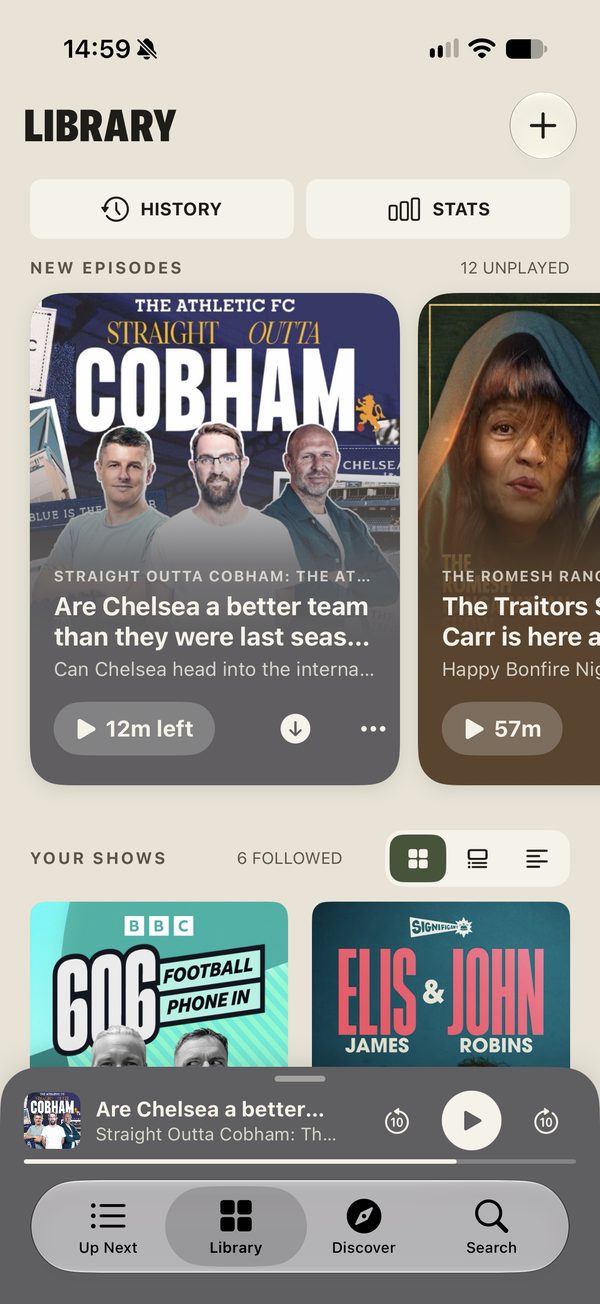
Home Screen and Lock Screen widgets, a Control Centre play key, Siri and Shortcuts ("Play Up Next", sleep timer), the Action button, CarPlay, AirPlay to any speaker, and touch-and-hold shortcuts on the app icon.
Stats & history
Time listened this week, time saved by speed and trimming, top shows and full history. Worked out on the phone; never sent anywhere.
What it actually looks like
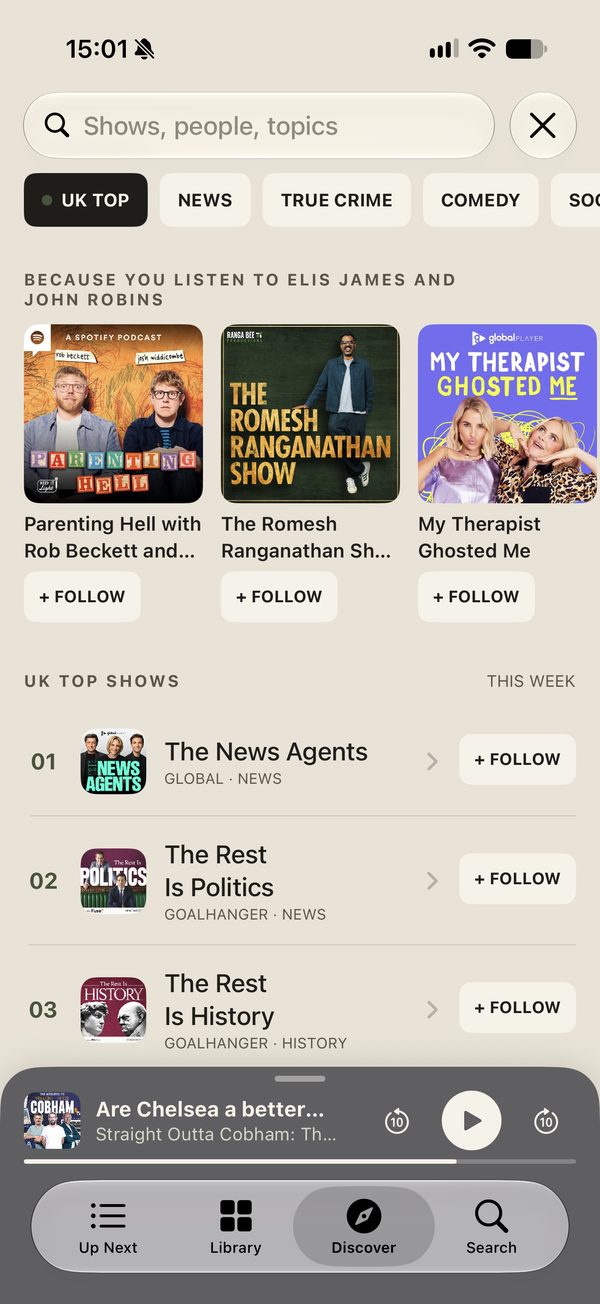
Straight from the app, with real shows. Swipe or scroll along.
Every byte, accounted for
Poddeck has no servers of its own, no analytics and no ad partners. Here's the full list of where things are kept.
| What | Kept | Who can see it |
|---|---|---|
| Transcripts & downloads | Your iPhone only | You. Included in your normal iPhone backup (downloads left out to save space). |
| Shows, Up Next, progress, bookmarks, settings | Your iCloud | You. Stored in your private iCloud database. |
| Stats, history & transcription timings | Your iPhone only | You. |
| Episode audio & artwork | The show's own feed | The show's host sees a download, as with any podcast app. |
| Search & Discover | Apple's public directory | Apple receives the search words, as with Apple Podcasts. Recent searches stay on the phone. |
| Followed shows, for alerts | Encrypted list | Only the open-source alerts job can unlock it. It keeps fingerprints of what it has seen, not titles or links. |
| Analytics, tracking, ads | None | There's nothing to see. |
Quiet defaults. You turn things up.
Anything that uses battery, data or makes choices for you starts off. These are the settings as you'll find them on first open.
Fair questions
So how is it free?
Because it costs nothing to run. There are no servers to pay for: your iPhone does the transcribing, your iCloud holds your library, and the alerts job runs on free public computing. Poddeck is a personal project, not a business, so there's no one to pay back.
Will it ever start charging?
There's nothing to start charging for. If that ever changed, you'd be told plainly first, and your shows can be exported as an OPML file to any other app at any time.
Does it use much battery?
Normal listening uses what any player uses. Making a transcript works the phone hard while it runs, which is why it only happens when you ask, or while charging if you choose that. Before the first one, Poddeck gives an estimate from your own iPhone, and Stats shows how long each one really took.
Does it use my iCloud storage?
A little. Your library, queue and settings are small. Downloads and transcripts stay on the phone and are not synced.
What do I need?
An iPhone on iOS 26 or later. Transcripts work in the languages Apple's speech recognition supports; auto-generated chapter titles are best on iPhones with Apple Intelligence and fall back to simpler titles otherwise.
Why TestFlight and not the App Store?
Poddeck is in testing. TestFlight is Apple's free way to install apps that are still being built. You install the free TestFlight app, open the invite link and Poddeck installs like any other app. Test builds last 90 days and update themselves.
Can it play video podcasts or shows that need a password?
Not yet. Poddeck is audio-first. Private feeds work when the key is in the link (Patreon, Supercast and the like); feeds that ask for a username and password aren't supported yet.

Press play. Pay nothing.
Free on iPhone through TestFlight. No account to make, nothing to cancel.